Death Certificate in Uttar Pradesh — Online Application, Download and Correction
A death certificate is the official record that a person has passed away, issued by the local registrar of births and deaths after the death is registered. In Uttar Pradesh you can apply for it online through the eDistrict portal's citizen service, eSathi, or get it done at a Common Service Centre (CSC / Jan Seva Kendra) near you.
Families usually need this document soon after a death, often at a difficult time, because almost every formal closure connected with the deceased depends on it:
- Claiming life insurance and other policy settlements
- Transferring property, land records and mutation (dakhil kharij) into the names of legal heirs
- Closing the deceased's bank accounts or transferring the balance to the nominee
- Stopping a pension and applying for family pension for the spouse or dependants
- Succession matters, updating the ration card, and settling loans or deposits
This guide explains the documents you need, the correct order of registration and application, the official fees, and what to do if the death was not registered on time or the certificate carries a mistake. If you also need the family's record updated, see our guide to the Parivar Register Nakal, which is often required alongside a death certificate for succession work.
Death Certificate UP — Quick Information
| Where to apply online | eSathi citizen portal (esathi.up.gov.in), through the eDistrict UP website |
|---|---|
| Offline option | CSC / Jan Seva Kendra, or the registrar office — Gram Panchayat in villages, Nagar Palika / Nagar Nigam in towns and cities |
| Fee on eSathi | ₹10–15 (self-application) |
| Fee at CSC | ₹30 government fee + around ₹30–50 facilitation charge |
| Processing time | Usually 7–15 working days after complete submission |
| Registration timing | Death should be registered within 21 days; late registration is possible with a late fee and, for older cases, official permission |
| Validity | Permanent — a death certificate never expires |
| Helpline | 0522-2304706 · [email protected] |
The death is registered in the area where the death took place, not necessarily where the family lives. A death in a hospital in another district is registered with that area's registrar.
Documents Required for a Death Certificate
Keep clear scanned copies or photos of the following ready before you start the application. Each uploaded file must be under 100KB, in JPEG or PDF format.
- Hospital death report or medical certificate of cause of death, if the death occurred in a hospital
- Cremation ground receipt or burial receipt, especially when the death occurred at home
- Aadhaar card of the deceased (if available)
- Applicant's own ID — usually Aadhaar card (the applicant is normally a close family member)
- Ration card of the family, if the deceased's name has to be removed from it later
- An older ID of the deceased such as voter ID or PAN, in case the name needs to be matched across records
Names must match across documents as closely as possible. If the hospital record uses a short name (for example, only a first name) and Aadhaar uses the full name, mention both spellings clearly in the application to avoid a correction round later.
How to Apply for a Death Certificate Online — Step by Step
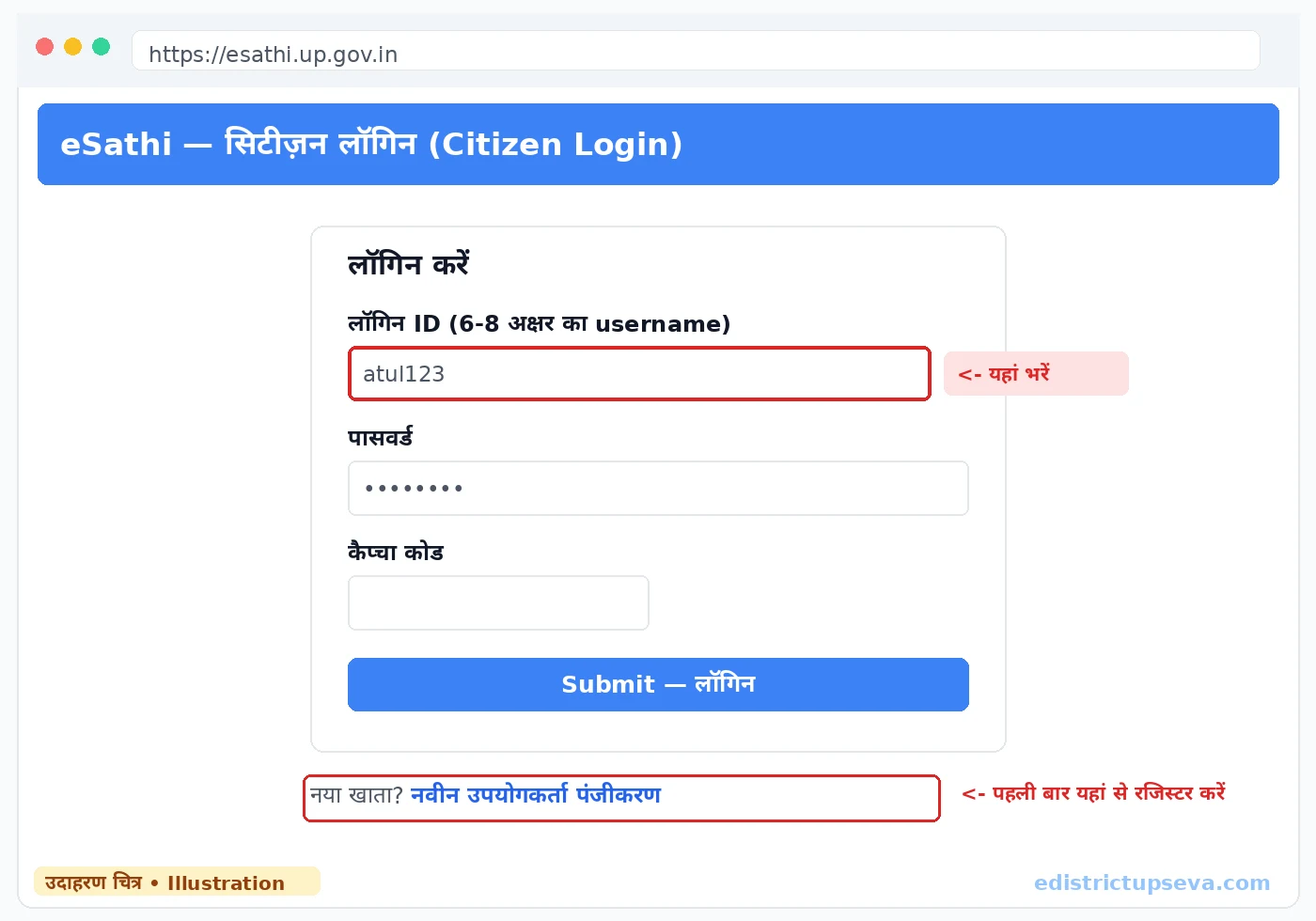
Death Certificate Fees in UP
| Channel | Government Fee | Extra Charge | Typical Total |
|---|---|---|---|
| eSathi (apply yourself) | ₹10–15 | None | ₹10–15 |
| CSC / Jan Seva Kendra | ₹30 | ₹30–50 facilitation | ₹60–80 |
| Late registration | Base fee as above | Late fee as per delay period | Varies with how late the registration is |
If a centre demands several hundred rupees for a death certificate, it is overcharging. Always take the printed receipt showing the government fee, and report unreasonable demands on the CM Helpline 1076 or the CSC helpline 14599.
Registration Timing and Late Registration
Every death is expected to be registered within 21 days. Hospitals usually start this process themselves for deaths that occur there, but the family should always confirm and collect the registration details. For a death at home, informing the local registrar — the Gram Panchayat in a village or the municipal body in a town — within the same window is the family's responsibility.
If the 21 days have passed, the registration does not become impossible; it simply becomes slower. A late fee applies, and as the delay grows, the approval of a designated officer may be required. For deaths that were never registered even after a year, an order from the competent authority or magistrate is generally needed, along with whatever proof of the death is available — hospital records, cremation receipts, or statements verified locally. Because insurance claims and property transfers cannot move without this document, it is worth completing even an old registration rather than leaving it pending.
How to Check Status and Download the Certificate
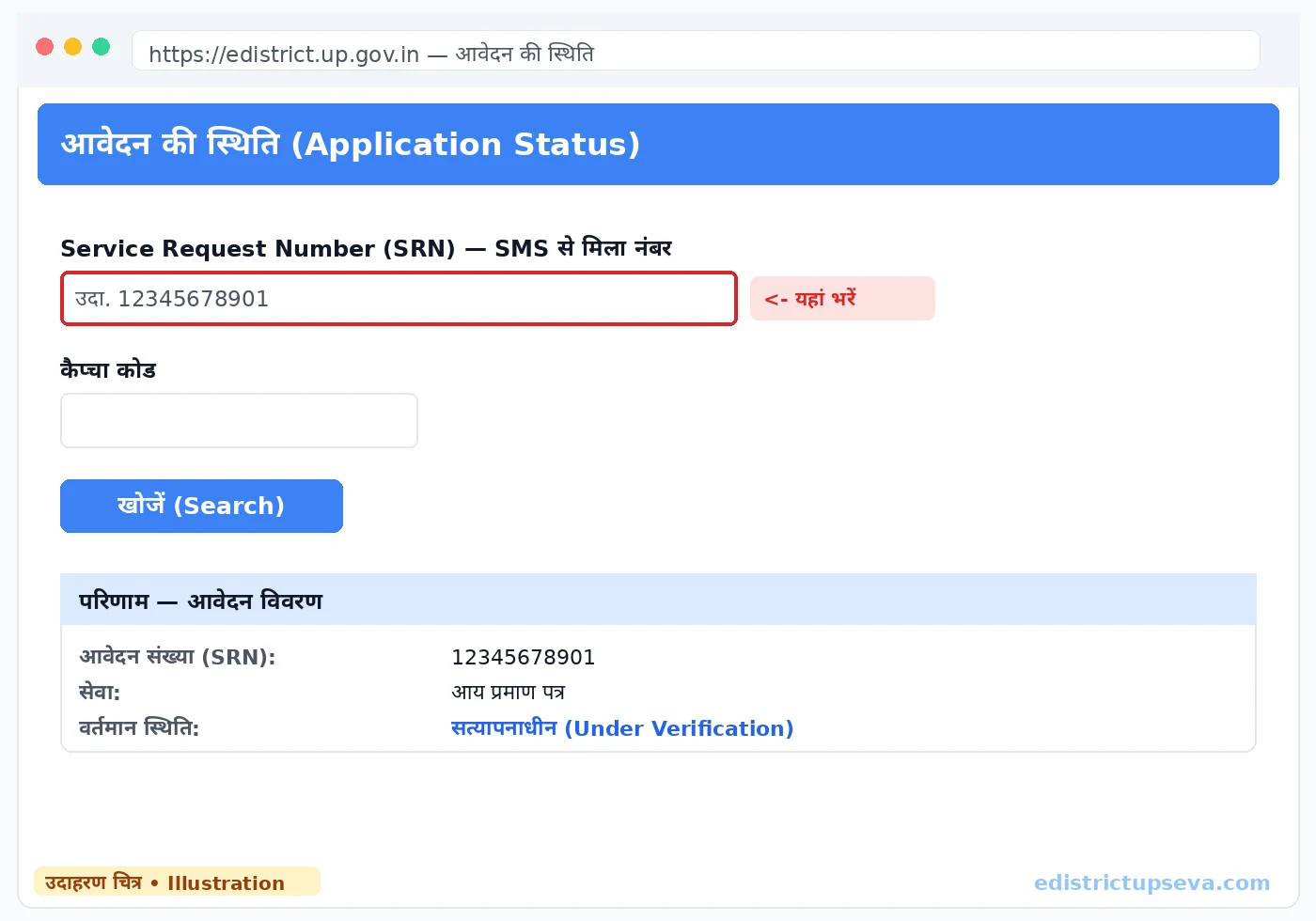
The fastest way is the status check on the eDistrict portal: enter your SRN and the captcha, and the current stage of your application appears. Typical stages move from submitted, to under verification at the registrar office, to approved, and finally to certificate generated.
Once the certificate is generated, log in to eSathi, open Completed Applications, select your application and click Print — choose "Save as PDF" in the print dialog. What you download is the official certificate: a digitally signed PDF with a certificate number and QR code, valid across India under the IT Act, 2000. Print several copies for the bank, insurer and property work, and keep the PDF backed up. The same certificate also appears in DigiLocker (digilocker.gov.in) under Issued Documents a few days after issue.
Corrections and Common Reasons for Delay
Check the downloaded certificate the same day. Mistakes in the spelling of the deceased's name, the date of death or the address are the most common problems, and they matter because banks and insurers match the certificate against their own records. Small errors can be corrected through a correction application supported by the hospital record and ID proofs; the corrected certificate is then re-issued with the same registration details.
Applications are most often delayed or sent back when:
- The name on the hospital report and the Aadhaar of the deceased do not match at all
- The cremation or burial receipt is missing for a death that happened at home
- Uploaded documents are blurred, cut off, or larger than 100KB
- The death was registered in a different area from the one selected in the application
- Payment shows as pending — this usually resolves itself within 24–48 hours; keep the transaction ID and contact the helpline on 0522-2304706 only if it stays pending after that
A rejection is not a penalty. Read the reason shown in your eSathi account, correct that one point, and apply again — the fee for a fresh application is the same small amount.
Related Guides
Frequently Asked Questions
How long does it take to get a death certificate in UP?
Within how many days should a death be registered?
What is the fee for a death certificate through eSathi and CSC?
Can I download the death certificate online after approval?
There is a spelling mistake in the name on the death certificate. Can it be corrected?
The death happened at home, not in a hospital. Can we still get a certificate?
Is a death certificate needed to close the deceased person's bank account?
Last updated: 22 October 2026